WeSellIPTV deal: 12 months only $64.99 · $5.42/month · free 24h IPTV trial Free trial on WhatsApp →
Free 24h Trial
About 5 minutes

How to Install WeSellIPTV on TiviMate (2026 Guide)

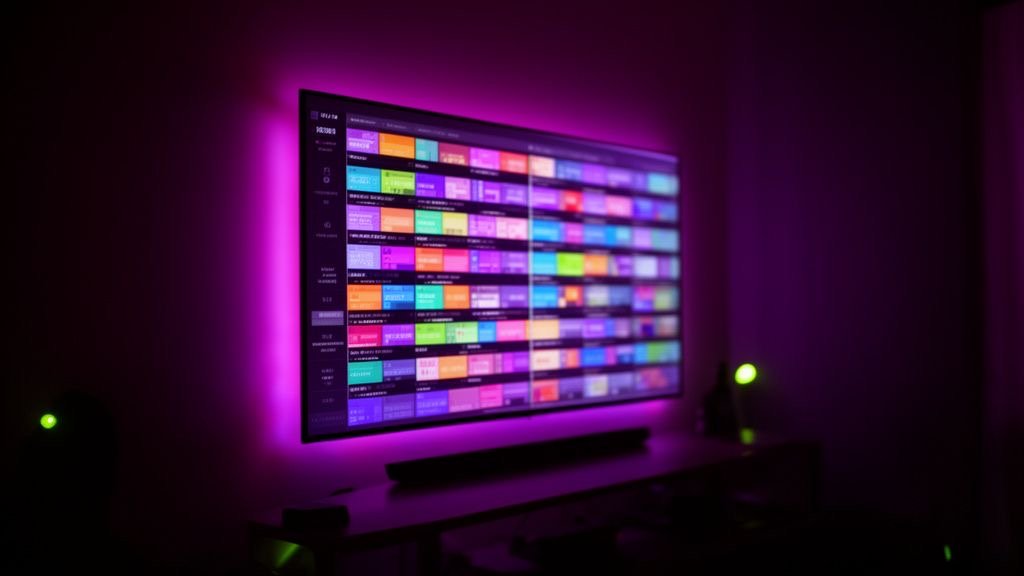
TiviMate gives WeSellIPTV a real cable-TV feel: a full programme grid, favourites, catch-up and multi-view. It runs on Firestick, Android TV and Google TV. This guide shows how to add your WeSellIPTV playlist and set up the EPG.

Get a free trial IPTV to test
WeSellIPTV IPTV on TiviMate
Before you start

What You Need for WeSellIPTV on TiviMate

  • A Firestick, Android TV or Google TV device
  • Your WeSellIPTV Xtream codes
  • Optional: TiviMate Premium for catch-up, recording and multi-view

Step-by-step: WeSellIPTV on TiviMate

  1. Install TiviMate

    From Google Play on Android TV, or with Downloader on Firestick.

  2. Add playlist

    Open TiviMate → Add playlist → Xtream Codes.

  3. Enter your login

    Server address, WeSellIPTV username and password, then Next. TiviMate counts channels, movies and series.

  4. Check the EPG

    TiviMate adds the WeSellIPTV EPG automatically. If not: Settings → EPG → Add EPG source → paste the EPG link we sent.

  5. Customise

    Long-press OK on a channel to add favourites, hide categories you don't use and start watching.

Apps

Best Apps for WeSellIPTV on TiviMate

AppWhy use it with WeSellIPTV
TiviMatefree version: live TV + EPG
TiviMate Premiumcatch-up, recording, multi-view, up to 5 devices
TiviMate Companionmanages the Premium subscription on a phone

App names belong to their developers. WeSellIPTV is not affiliated with these apps. Some players charge their own small fee.

Tips for smooth WeSellIPTV streaming on TiviMate

  • Settings → EPG → Update on app start: ON keeps the guide fresh.
  • Settings → Playback → Buffer size: Large for sports.
  • Use groups to keep only the countries you watch.

We sell IPTV with real setup help: if you're still buffering, read the WeSellIPTV buffering fix guide or message our team on WhatsApp — we'll check your setup live.

WeSellIPTV on other devices

FAQ

WeSellIPTV on TiviMate — FAQ

Is TiviMate good for WeSellIPTV?

Yes — it's the best TV-guide player for WeSellIPTV on Firestick and Android TV.

Do I need TiviMate Premium?

No, the free version plays live TV with the guide. Premium adds catch-up, recording and multi-view.

Does TiviMate show movies and series?

Recent versions show VOD from Xtream codes, but IPTV Smarters Pro is still better for movies.

Plans

WeSellIPTV Plans

Starter

WeSellIPTV 1 Month

$9.99USD

$9.99 / month · one payment

Flexible — no commitment

  • 25,000+ live channels
  • 150,000+ movies & series
  • USA, UK, Canada, Europe & Arabic channels
  • 4K / FHD / HD quality
  • TV guide (EPG) & catch-up
  • Anti-freeze servers 99.9% uptime
  • 1 device connection
  • All devices & IPTV apps
  • Delivery in 5–20 minutes
  • 24/7 WhatsApp support
Buy 1 Month on WhatsApp
Best Value

WeSellIPTV 12 Months

$64.99USD

$5.42 / month · one payment

Save $54.89 (46%) vs monthly

  • 25,000+ live channels
  • 150,000+ movies & series
  • USA, UK, Canada, Europe & Arabic channels
  • 4K / FHD / HD quality
  • TV guide (EPG) & catch-up
  • Anti-freeze servers 99.9% uptime
  • 1 device connection
  • All devices & IPTV apps
  • Delivery in 5–20 minutes
  • 24/7 WhatsApp support
Buy 12 Months on WhatsApp
Popular

WeSellIPTV 6 Months

$39.99USD

$6.67 / month · one payment

Save $19.95 (33%) vs monthly

  • 25,000+ live channels
  • 150,000+ movies & series
  • USA, UK, Canada, Europe & Arabic channels
  • 4K / FHD / HD quality
  • TV guide (EPG) & catch-up
  • Anti-freeze servers 99.9% uptime
  • 1 device connection
  • All devices & IPTV apps
  • Delivery in 5–20 minutes
  • 24/7 WhatsApp support
Buy 6 Months on WhatsApp

Free 24h trial before you pay · Secure payment · Login in 5–20 minutes · 24/7 setup help

Ready to watch WeSellIPTV on TiviMate?

Start with a free trial IPTV test, then pick your WeSellIPTV plan. Your login arrives on WhatsApp in minutes.

Free 24h trial Order on WhatsApp